
Issue Symptoms
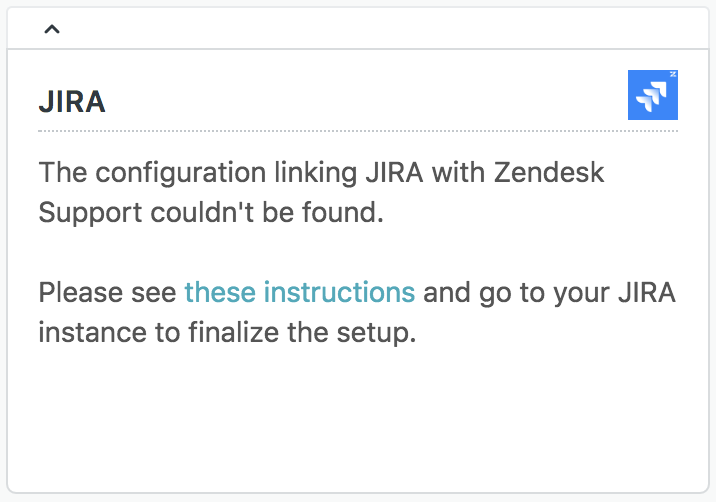
- Agent receives a JIRA app prompt with the following message - "The configuration linking JIRA with xxx couldn't be found. Please see these instructions and go to your JIRA instance to finalize the setup."
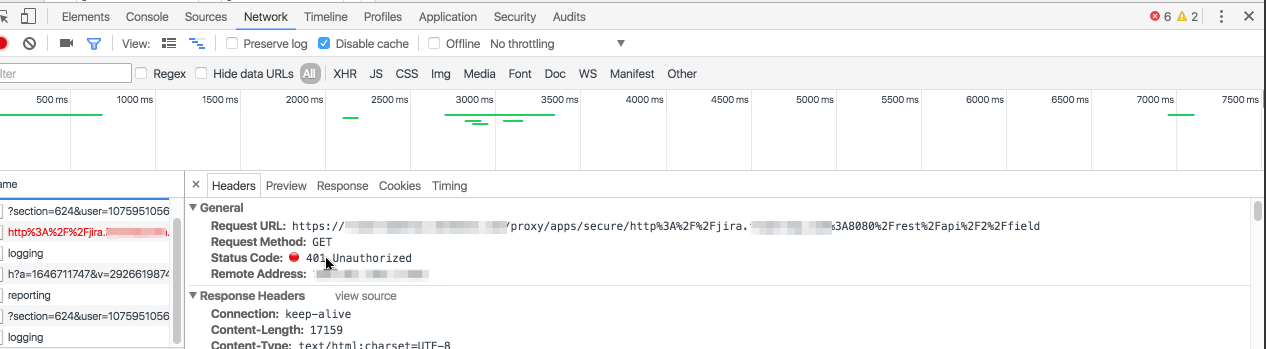
- Agent gets a 401 console error when attempting to create or link a JIRA issue.
Conditions
- After setting up JIRA, the agent receives a JIRA app prompt with the following message - "The configuration linking JIRA with xxx couldn't be found. Please see these instructions and go to your JIRA instance to finalize the setup."
- The agent gets a 401 console error when attempting to create or link a JIRA issue.
Resolution
A 401 unauthorized error in xxx typically means that the JIRA admin credentials are incorrect or the admin does not have the required permissions. If you are seeing this error you can check the following:
- The JIRA username must be a username and NOT an email address. The password must also be correct.
- The JIRA admin account is part of the 'administrator', 'developer' and 'user' user groups.
- The JIRA admin account does not have permission schemes in place to prevent project creation or editing existing projects (Settings > Issues > Permission schemes).
- You are using JIRA Internal Directory as your user directory.
- The JIRA admin account has not been recently deleted.
- If using JIRA server, that the server or its hosting has not recently been moved.
This error could also be due to some other plugins in JIRA blocking your Support plugin. Watch out for particular plugins that are from the JIRA service desk trial.
- You can try disabling these other plugins in your JIRA instance one by one and check your Support instance to see if that resolves the issue
Comments
0 comments
Please sign in to leave a comment.